Field service management for the compressors you service.
Plan the PM off the hours on the machine, send the truck out loaded, and have the paperwork done before the tech is back on the road.
Plan service from the hours on the machine.
You stop postponing work you have already sold.
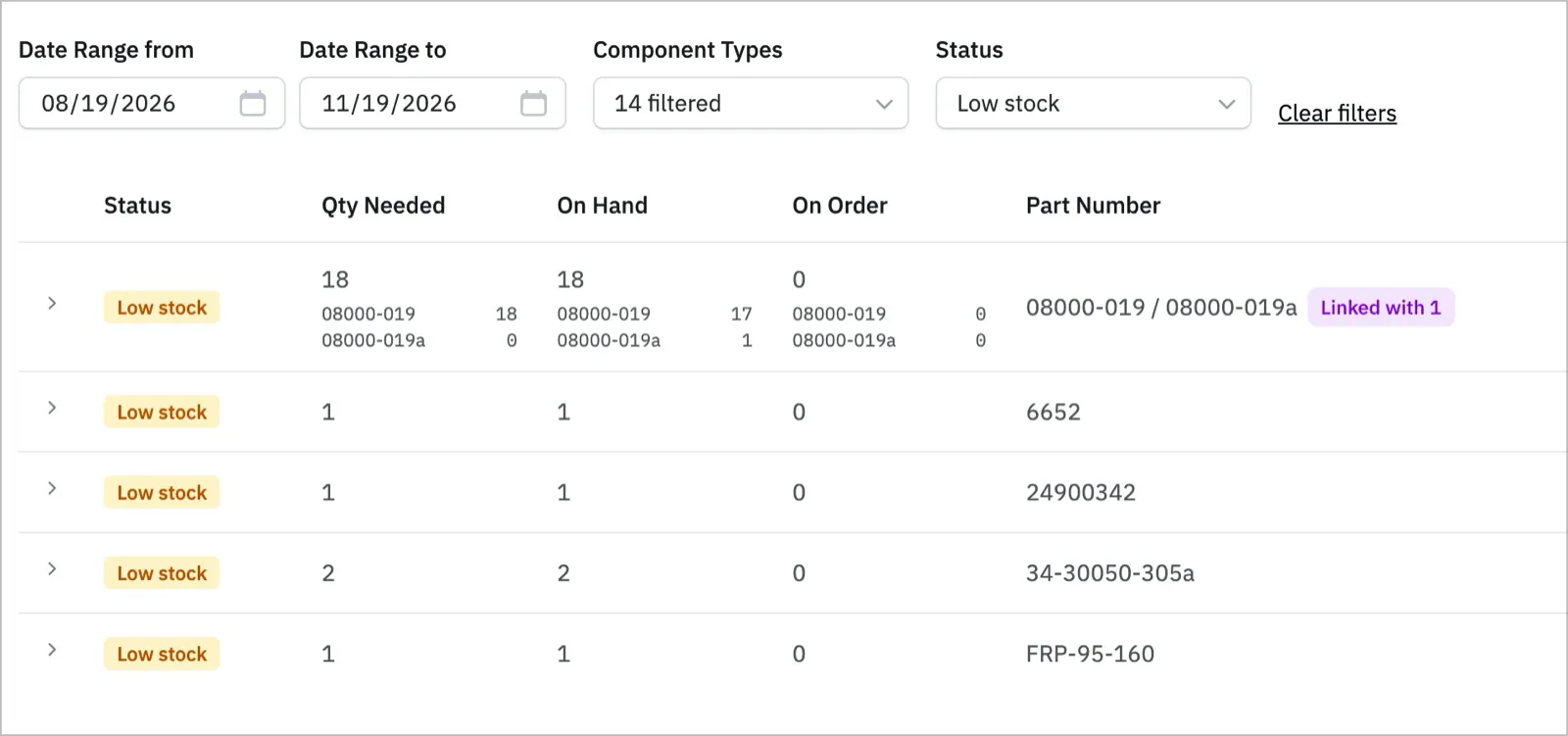
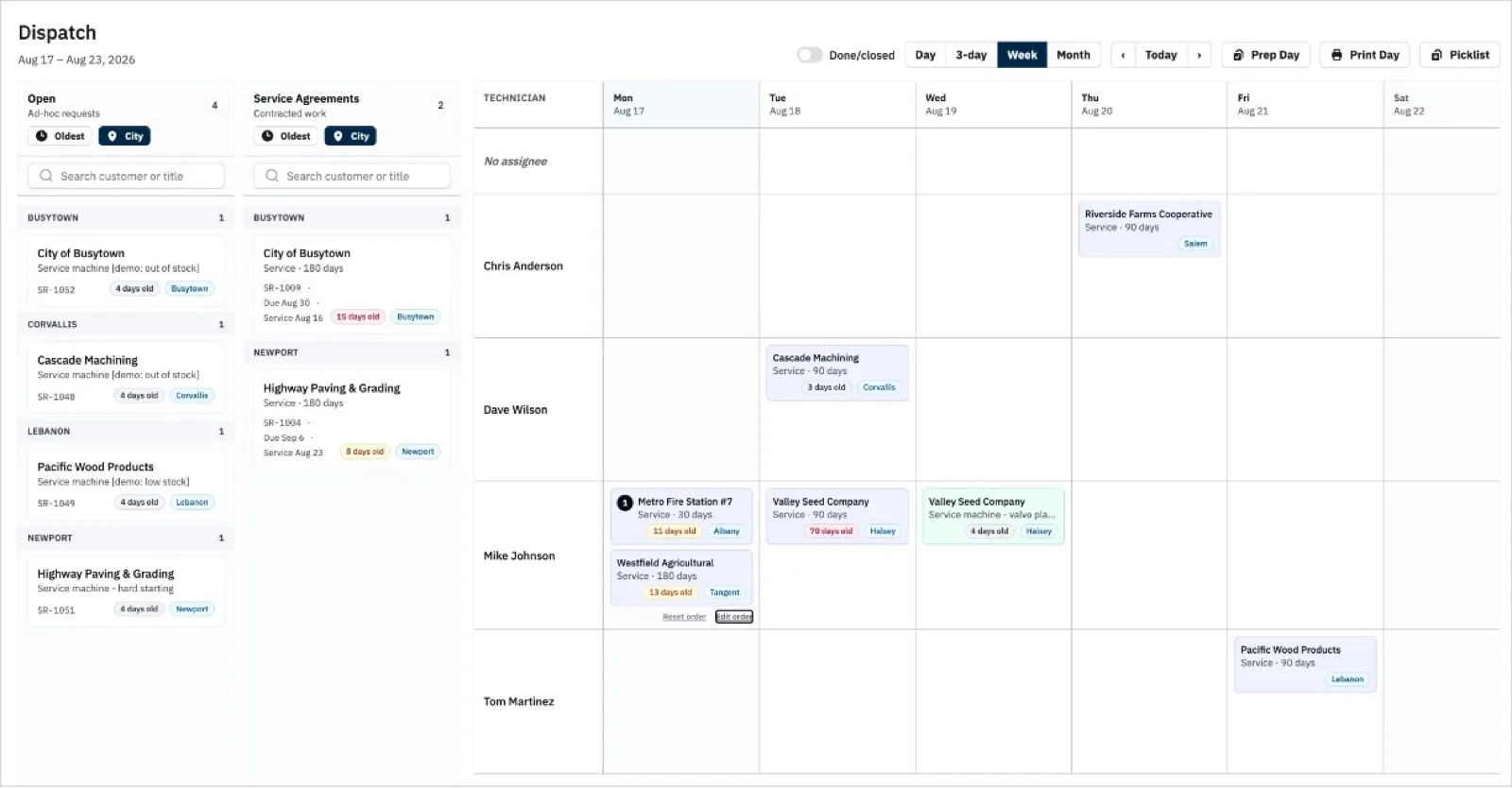
Put the job on the crew's schedule.
Used to be the tech found out about a missing filter in the customer's parking lot.
Nobody could take a vacation, because if they did we had no service history.
That was us. Any tech can take any call now, because the notes, the parts changed and the hour readings sit on the compressor instead of in one man's head.
Oil sample results sit on the asset too. Run hours live on the unit, so the WearCheck form is a lookup instead of an excavation.
Explore service history →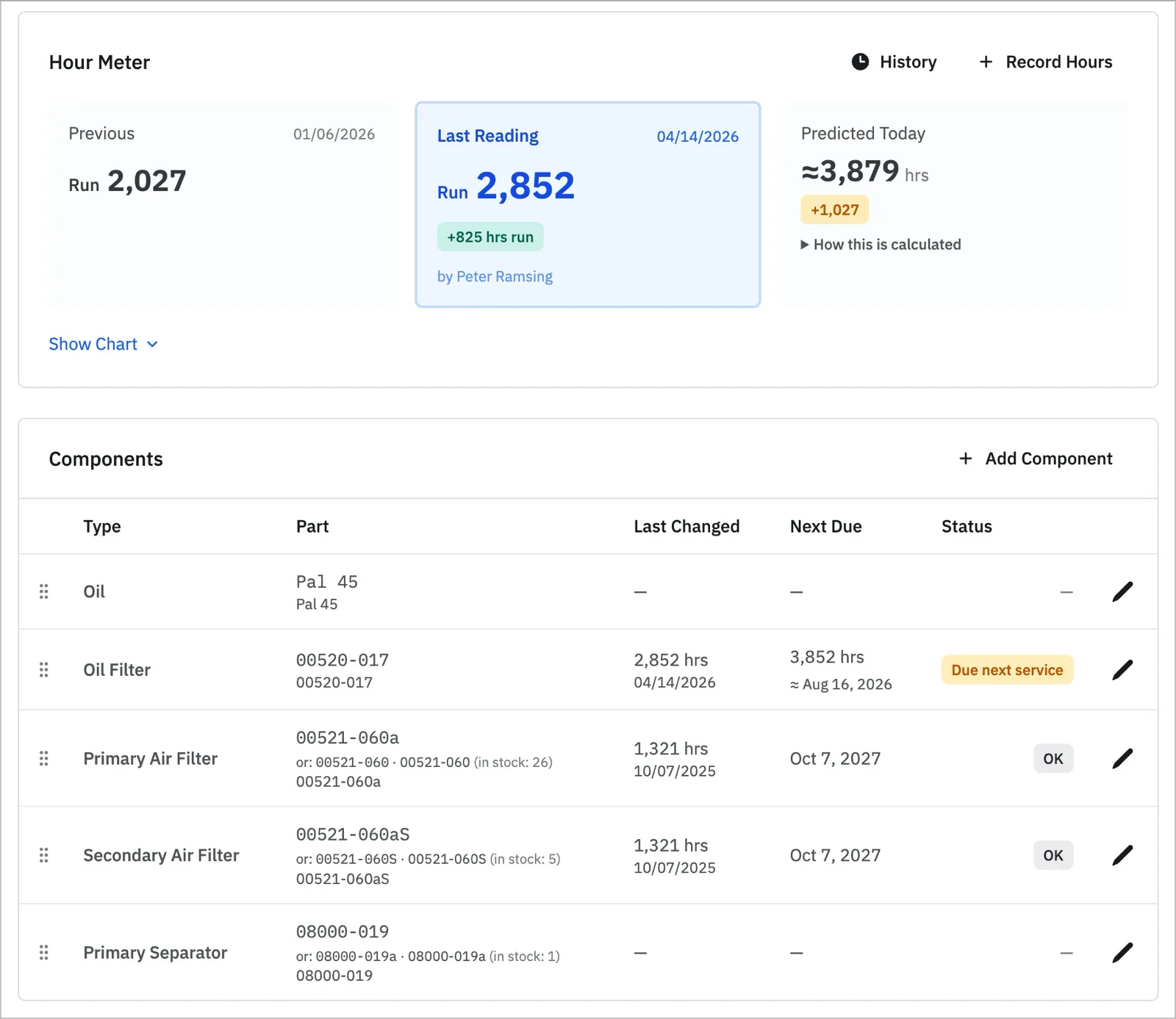
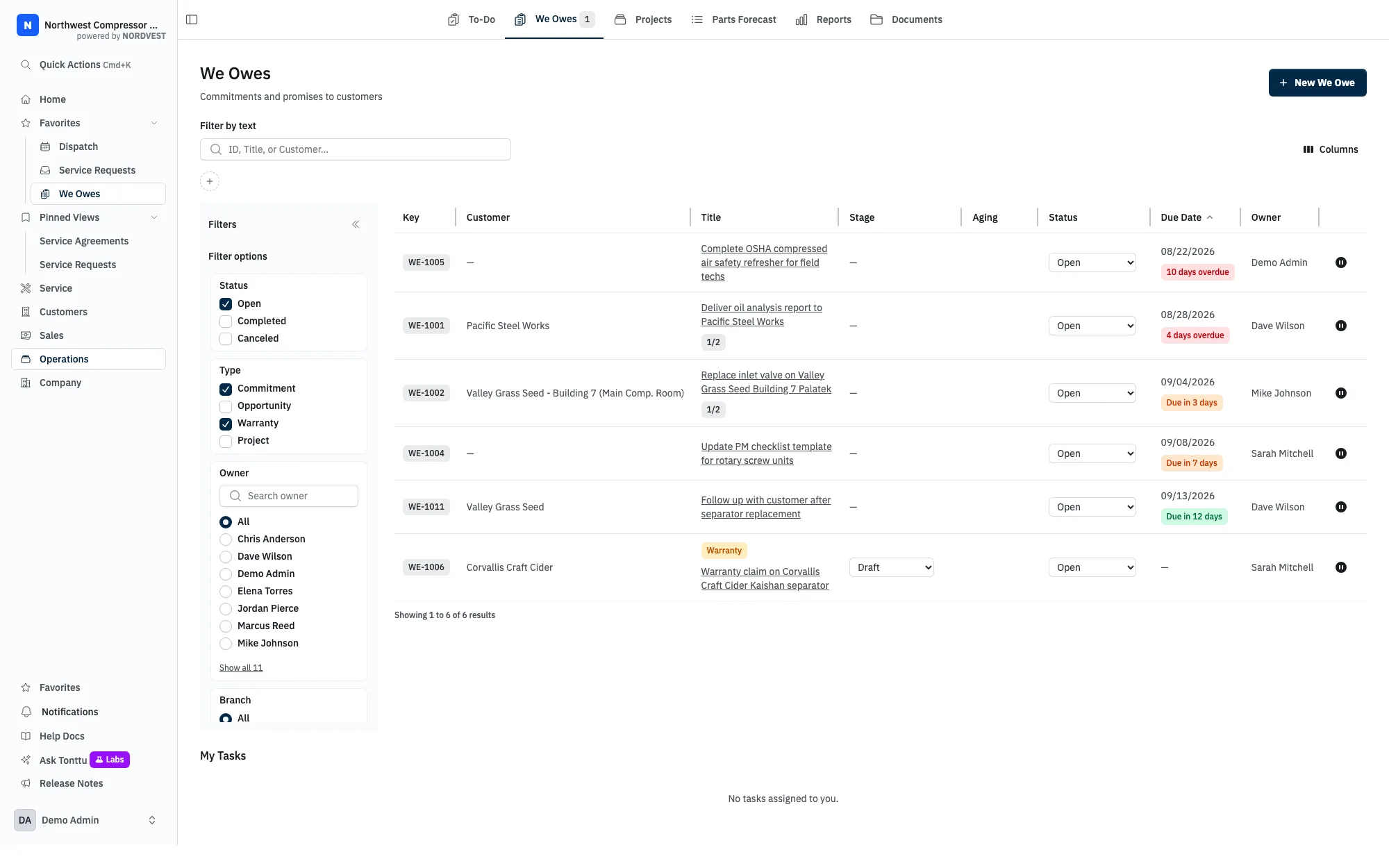
A submitted claim still needs an answer.
Most systems store an expiry date and call that warranty support. This tracks the submittal itself. We call those commitments We Owes.
Your accountant keeps working in QuickBooks.
We don't do accounting. We do field service. Connect your customers, parts and service-report invoices to QuickBooks Online or Desktop and leave the books alone.
See the QuickBooks connection →Keep the next equipment conversation with the service record.
Track a customer's planned expansion or replacement compressor, with a person responsible for the next call.
Explore Sales CRM →See it with a compressor shop's records.
The demo contains machines, parts, service history, and customer opportunities.
Talk to us: peter@nordvestops.com