← Back to overview
AI-NATIVE · ON YOUR TERMS

AI that reads your machines, not the internet.

It answers from your run hours, your parts and your service history. A general model only guesses at compressors. It will tell you when it doesn't know. You can turn every bit of it off.

// AI
Catalog manuals
Ties each compressor to its manual and controller manual.
// AI
Draft reports
Describe what you want in one sentence. Review the draft.
// AI
Ask questions
Plain-language answers about a customer, asset, or service.
// AI
Connect via MCP
Point Claude and other AI tools at your shop data.
// REPORTS

Describe the report you need.

Ask for this week's urgent service work or machines with parts due. NORDVEST drafts the report.

Review the filters and columns before you save it.
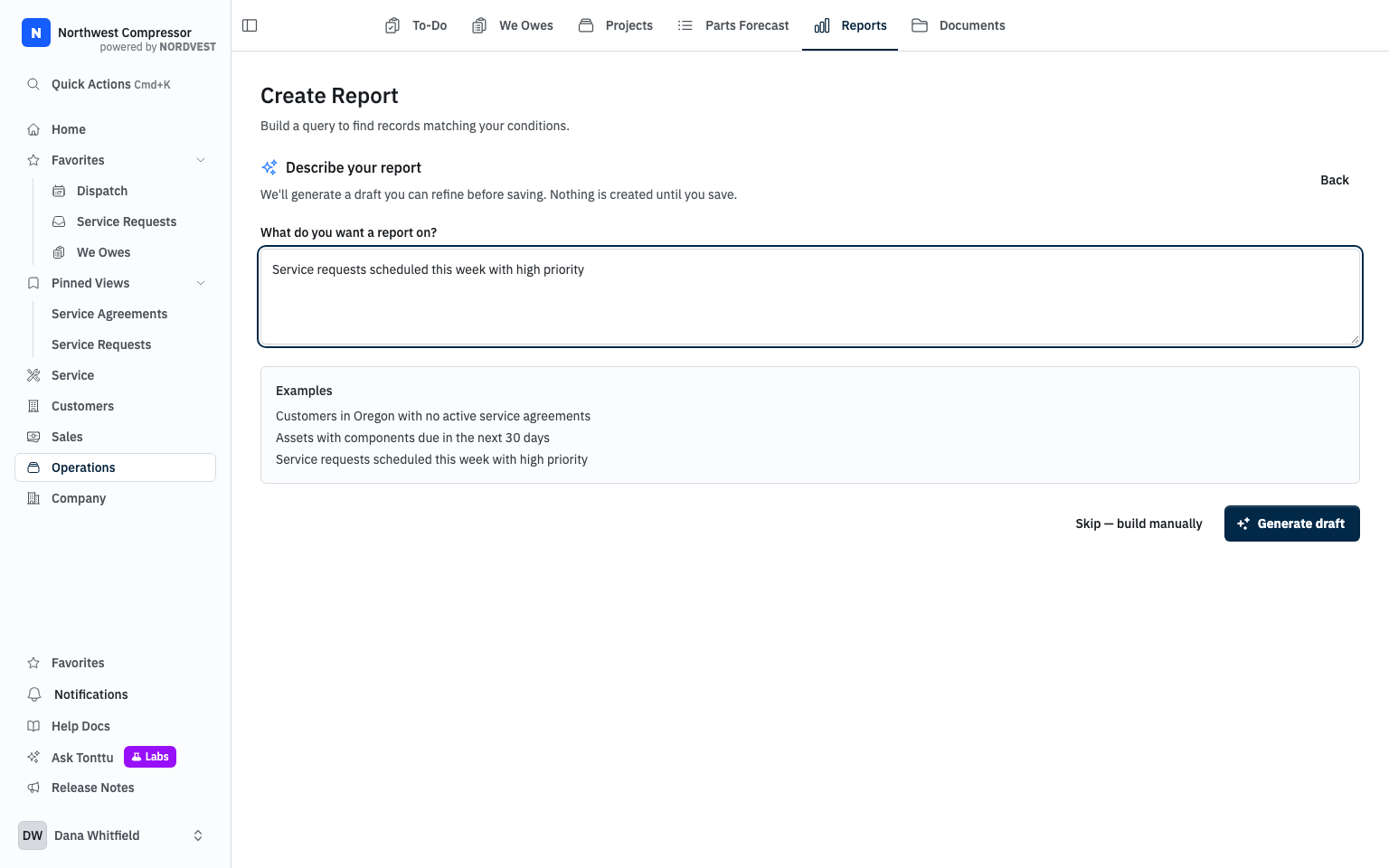
AI report builder with a request for this week's high-priority service work
A request for this week's service work.
// ASK TONTTU

Ask what still needs work.

Ask Tonttu for open service requests. The results link to the records you can review.

Check the job details before you decide what happens next.
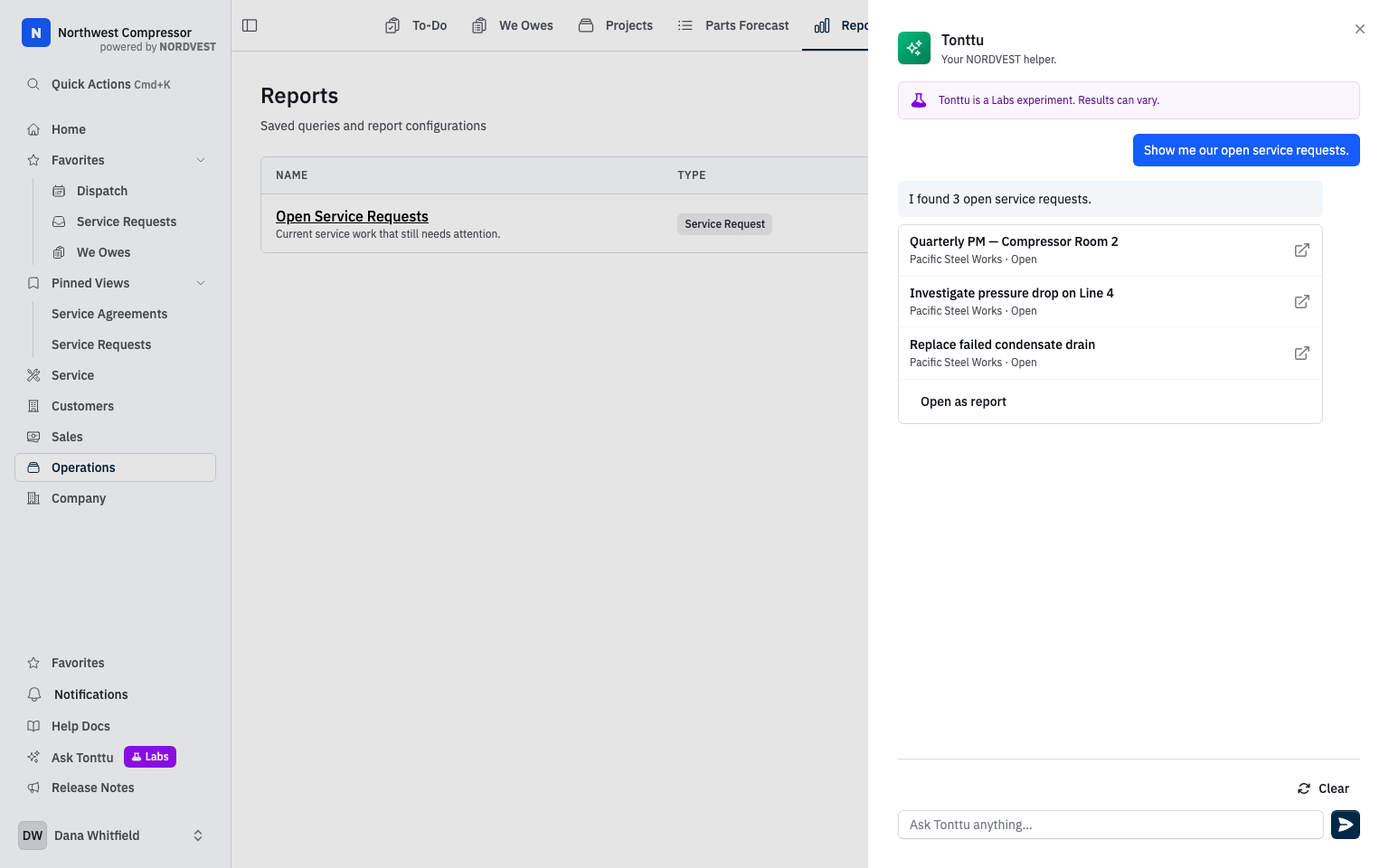
Tonttu showing three open service requests with links to their records
Open service requests, linked to their records.
// BRING YOUR OWN AI

Connect Claude and other tools through MCP.

Point Claude or another AI tool at NORDVEST's MCP server. Ask about customers, assets and service from wherever you already work.

→An open standard that works with Claude and other AI clients.
→Your permissions apply. The AI sees only what the connected user can see.
→Scoped to your shop. Calls are logged, and you can revoke access.
MCP · CONNECTED CLIENTS SCOPED · AUDITED
Claude
list customers · read service history
Your AI tool
search assets · ask about parts
Reporting bot
read-only · we-owes + opportunities
→ Same data, same rules, from wherever you work.
AI FEATURES YOUR CALL
Manual cataloging ON
Report drafting ON
Ask / Q&A OFF
MCP connections OFF
→ Flip any of it off. The shop floor still runs.
// NOT READY? TURN IT OFF

If you're not ready for AI, switch it all off.

AI sits on top of NORDVEST, never underneath it. Turn the whole lot off and the run hours, parts forecast and service history work exactly the same.

→Optional. Every screen in NORDVEST works with AI off.
→Per-feature control, enable parsing without enabling chat, or vice versa.
→Adopt at your pace, earn trust feature by feature, on your timeline.
// OUR STANCE

We would rather it say "I don't know" than make something up.

A tech who gets burned once by a confident wrong answer never trusts the tool again. So we would rather it come back empty than invent a part number. It reads your shop's records and shows you which ones it read. You can switch the whole lot off.

Start a demo →
// START A DEMO

AI that earns its place on your floor.

Open the demo and see what it does, where the data comes from, and how to turn any of it off.

Rather ask a person? peter@nordvestops.com