Built in
The dispatch rail
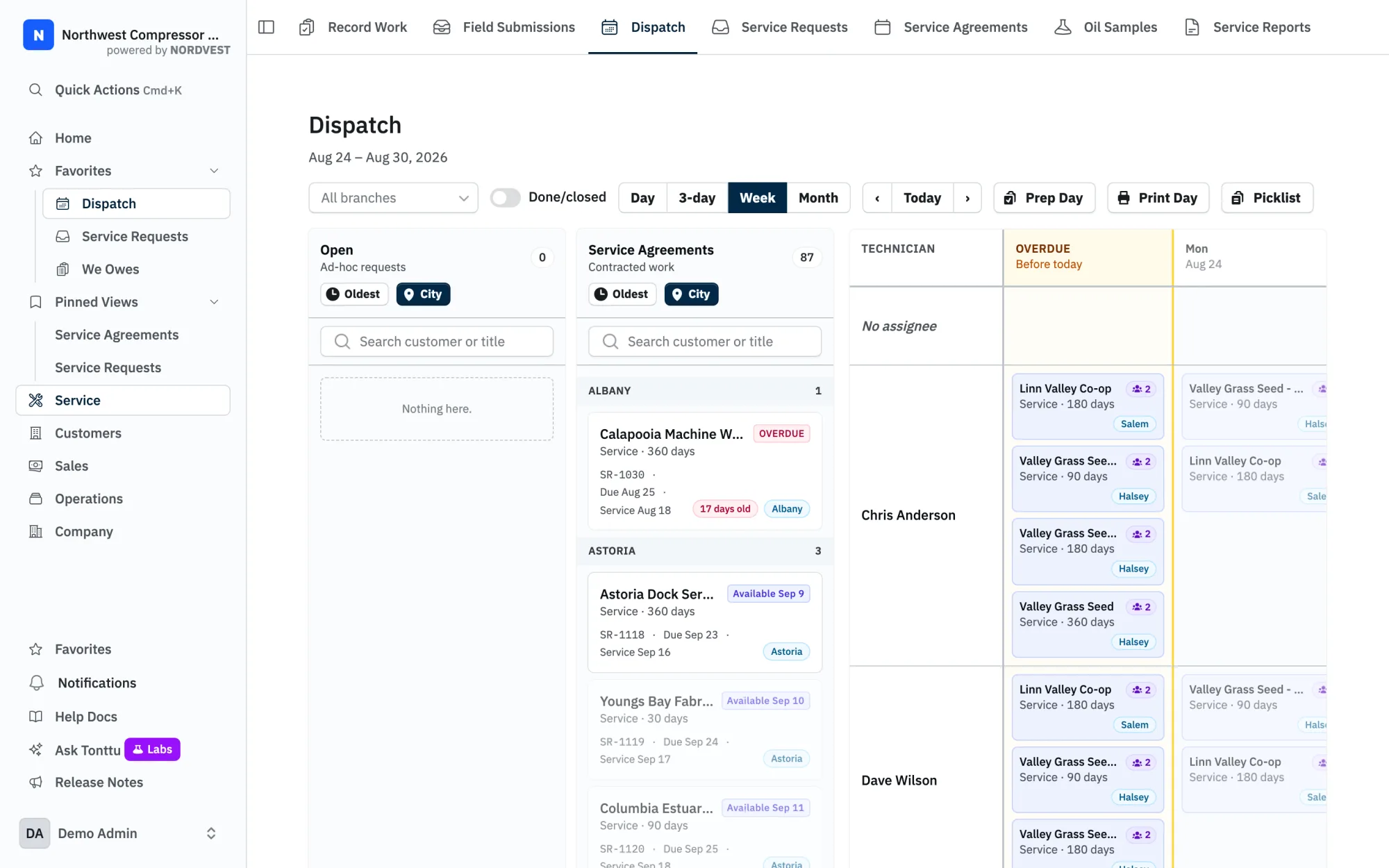
Every open service request starts life in an Unassigned lane. Off to the side sits the dispatch rail — one lane per technician for the day you're looking at, plus the Unassigned lane. You drag a service request card from Unassigned onto a tech, and that's it: the request now has a scheduled date and an assigned tech. Its status flips from "Open" to "Scheduled & Assigned" automatically.
Picking the day
The board always opens on today. Step forward or back a day at a time to plan the week. Drop a request on a different day and the scheduled date moves with it — no separate "set the date" step.
More than one tech on a job
Some jobs take two people. Drop the same service request onto a second tech's lane and both stay assigned — it's additive, not a swap. Need to pull one tech back off? Right-click the card and toggle that tech off. The job stays on the others.
A heads-up when the parts aren't there
Inventory in NORDVEST is tracked per branch. When you schedule a service request, the board looks ahead at the parts that job is likely to need — based on the customer's assets and their service history — and checks them against what's on the shelf at the assigned branch.
If you're short, a warning modal tells you exactly which items fall below what's predicted. You decide: schedule it anyway and sort the parts out, or hold off. NORDVEST surfaces the shortfall; it doesn't block you.
From the board to the truck
Once the day is laid out, you can print a day sheet straight from Dispatch — each tech's stops for the day, ready to hand over. The route order is left blank on purpose so techs write in the order that makes sense once they're out.