// GUIDE 08 · QUICKBOOKS

Does it work with QuickBooks?

Yes. QuickBooks stays your record of the money. NORDVEST connects to QuickBooks Online and QuickBooks Desktop, reads your customers and your stock, and sends a finished job back as one invoice.

Built in

What stays in QuickBooks

Everything about money. Invoices, payments, receivables, item prices, and the customer list you bill from. NORDVEST does not replace any of it. NORDVEST never edits a customer or an item inside QuickBooks. If you pay bills through another tool, nothing changes there either. NORDVEST sends invoices out. It does not touch bills in.

What comes into NORDVEST

Two lists, pulled from QuickBooks when you ask for them:

  • Customers. Name, company, email, phone, and the QuickBooks customer ID. NORDVEST matches each one to the customer it already has, or creates it. The QuickBooks ID shows on the customer page as the account number. There is no second number to keep in step by hand.
  • Items. Name, part number, cost, price, and the quantity on hand. NORDVEST links each item to a part in its catalog. The Parts Forecast then shows OK, Low, or Stockout against real stock.

The pull is a button, not a background process. Press Pull Customers or Pull Items when you want fresh data. Nothing is pulled until you do.

What goes back to QuickBooks

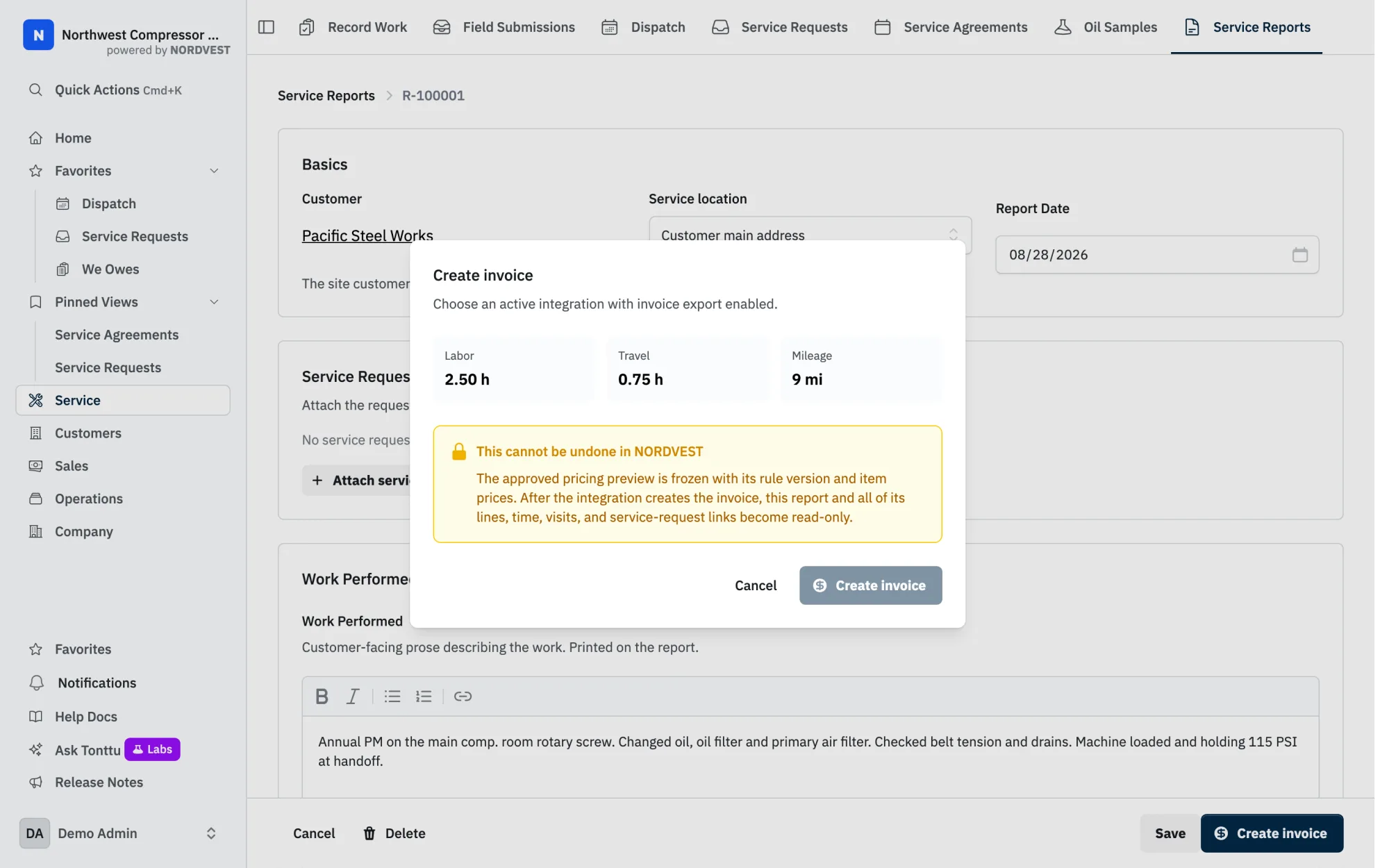
One thing: the invoice. When a job is done, the tech's work becomes a Service Report. The report lists the parts, the hours, the travel, and the mileage. An admin turns on invoice export once, and maps labor, travel, and mileage to the QuickBooks items you already bill with. After that, Create invoice on a report shows you every line and the total before anything leaves. Confirm, and QuickBooks gets one invoice.

NORDVEST does not email the invoice and does not record the payment. Those stay in QuickBooks. Once QuickBooks confirms the invoice, the Service Report locks, so the quantities on the report and the invoice cannot drift apart.

Online or Desktop

QuickBooks OnlineQuickBooks Desktop
How it connectsSign in with Intuit and approve access.QuickBooks Web Connector on the Windows machine that runs QuickBooks.
Customers and itemsPulled when you press the button.Synced by Web Connector, daily by default.
Stock quantitiesOn hand.On hand, on order, and on sales order.
Invoice from a Service ReportYes.Not yet.

Each QuickBooks company gets its own connection. A shop with two company files connects twice.

What if the connection drops?

QuickBooks sometimes rejects a saved authorization, for example after someone removes NORDVEST inside QuickBooks. NORDVEST shows a Reconnect prompt. Your NORDVEST records are not touched. Reports already invoiced keep their invoice reference. Approve access again and carry on.

The short version. QuickBooks knows the money. NORDVEST knows the machines, the parts, the promises, and the work. The connection carries customers and stock one way, and invoices the other.

Intuit and QuickBooks are registered trademarks of Intuit Inc. This material has not been approved by Intuit Inc.

Want to compare this against your shop?

Open a demo loaded with a compressor company's data and look around.

Start a demo →