Make the Reports You Need in NORDVEST
Ask Tonttu a quick question, save the result, build a detailed report, or combine NORDVEST with ChatGPT or Claude.

Some questions come up once. Others need the same answer every Monday morning. NORDVEST gives you a useful path for both.
Start with a question
Open Tonttu from the sidebar and ask for the information you need. You can find customers, assets, service requests, service agreements, or We Owes without leaving your current page.
Save the answer for later
When the result includes report filters, select Open as report. NORDVEST carries those filters into a saved report that you can run again.
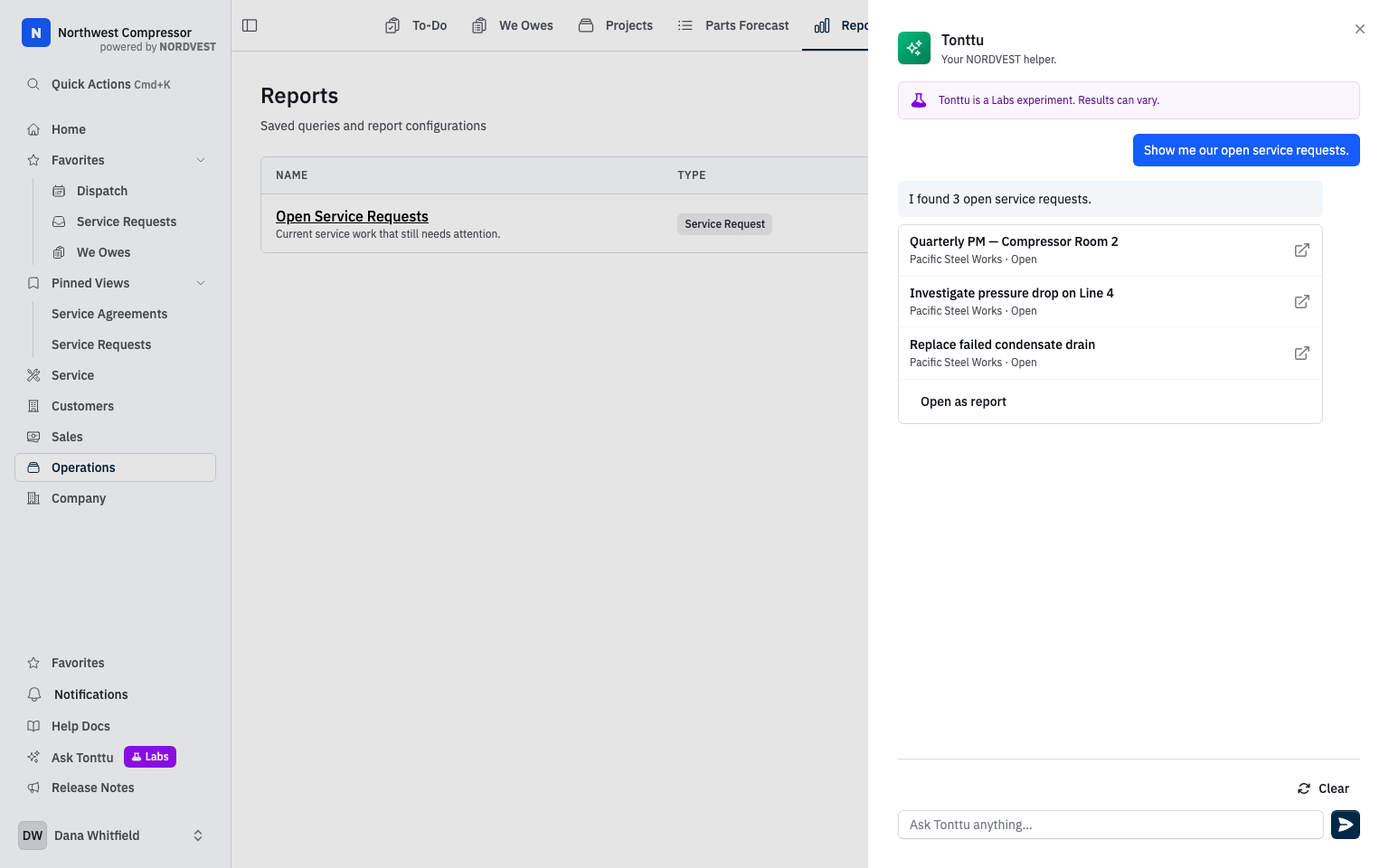
You can adjust the filters and columns, share the report with your team, or download the results as a CSV file.
Build the exact report you need
For a more detailed question, start a new report and describe what you want. NORDVEST drafts the report so you can review the filters before you save anything.
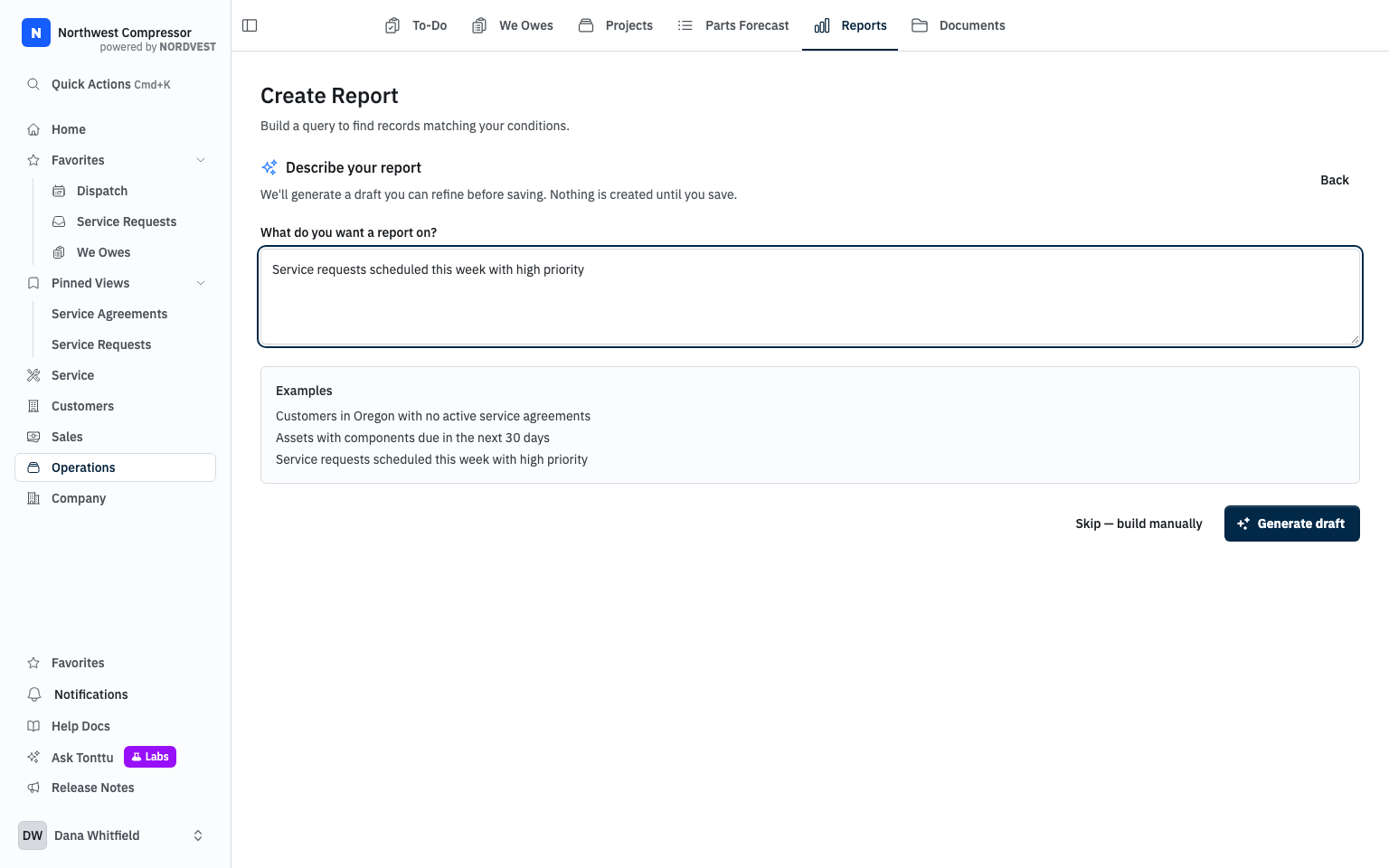
You can also build the report manually. Choose the records, conditions, columns, and sort order that answer your question.
Put the report on a schedule
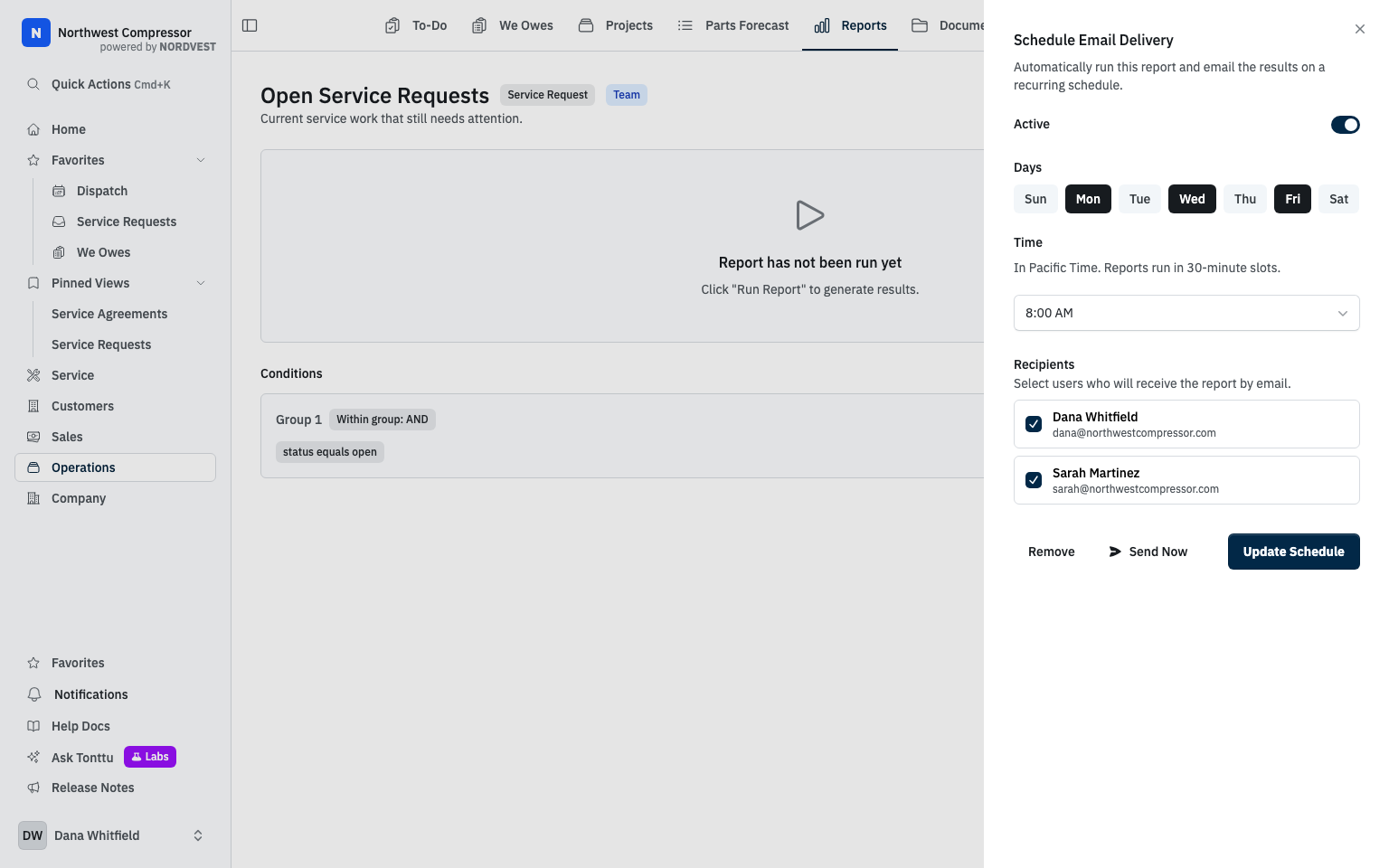
Open Schedule on a saved report. Choose the recipients, days, and delivery time. NORDVEST runs the report again and emails the current results in your company's timezone.
Add the context outside NORDVEST
You can also connect NORDVEST to ChatGPT, Claude, or another compatible AI assistant. That assistant can run a scheduled job that reviews NORDVEST records beside the email and files you authorize.
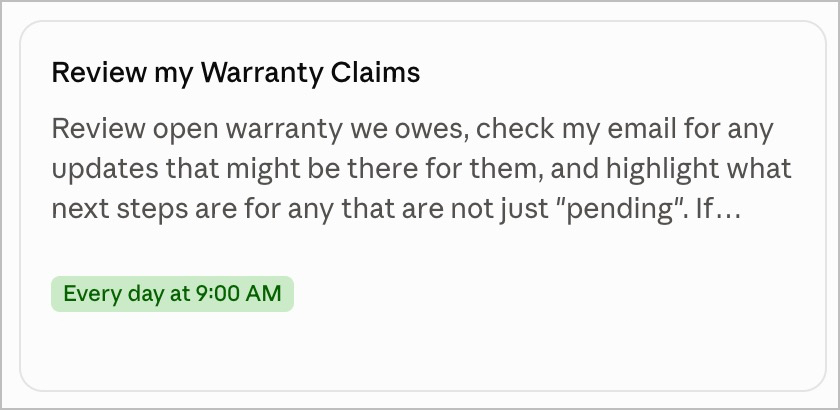
That combination turns a report into a decision prompt. Instead of receiving another list, you can ask what changed and what needs attention next.
Want to see how this could work for your team? Schedule a 30-minute call, and let's talk.
Follow the build
New field notes, delivered without tracking pixels.
Unsubscribe anytime.